Pladio 1.3 - Future-Proof Favorites, macOS MiniPlayer & More
Pladio 1.3 is here, and it brings a major behind-the-scenes upgrade that makes your favorites rock-solid, plus a brand-new macOS Menu Bar MiniPlayer and native AirPlay support for Mac users.
Future-Proof Favorites with V11 Station IDs
This is the headline feature of 1.3, even though you might not notice it at first. I've completely reworked how Pladio identifies radio stations under the hood.
Previously, station IDs were generated from technical details like stream URLs, codecs, and bitrates. This worked well most of the time, but it meant that whenever a station changed its stream URL or encoding settings, the ID would change too — and your favorite could silently disappear.
With the new V11 system, every station now has a permanent, random identifier that never changes, no matter how the station's technical details evolve. Your favorites are now truly future-proof.
What about my existing favorites? Pladio automatically migrates everything on first launch. The migration runs silently in the background — you shouldn't notice anything different.
In rare cases where a station can no longer be matched (for example, if it was removed from the database), Pladio rescues it as a "My Station" entry so you never lose it. These rescued stations appear in the "My" tab with a small migration badge.
Multiple devices? If you have older devices still running the previous version, Pladio checks for favorites synced from those devices on every launch and migrates them automatically. Your listening history stays perfectly in sync across all your devices.
macOS Menu Bar MiniPlayer
Mac users, this one's for you. Pladio now lives in your menu bar with a persistent MiniPlayer that gives you instant access to playback controls without switching windows.
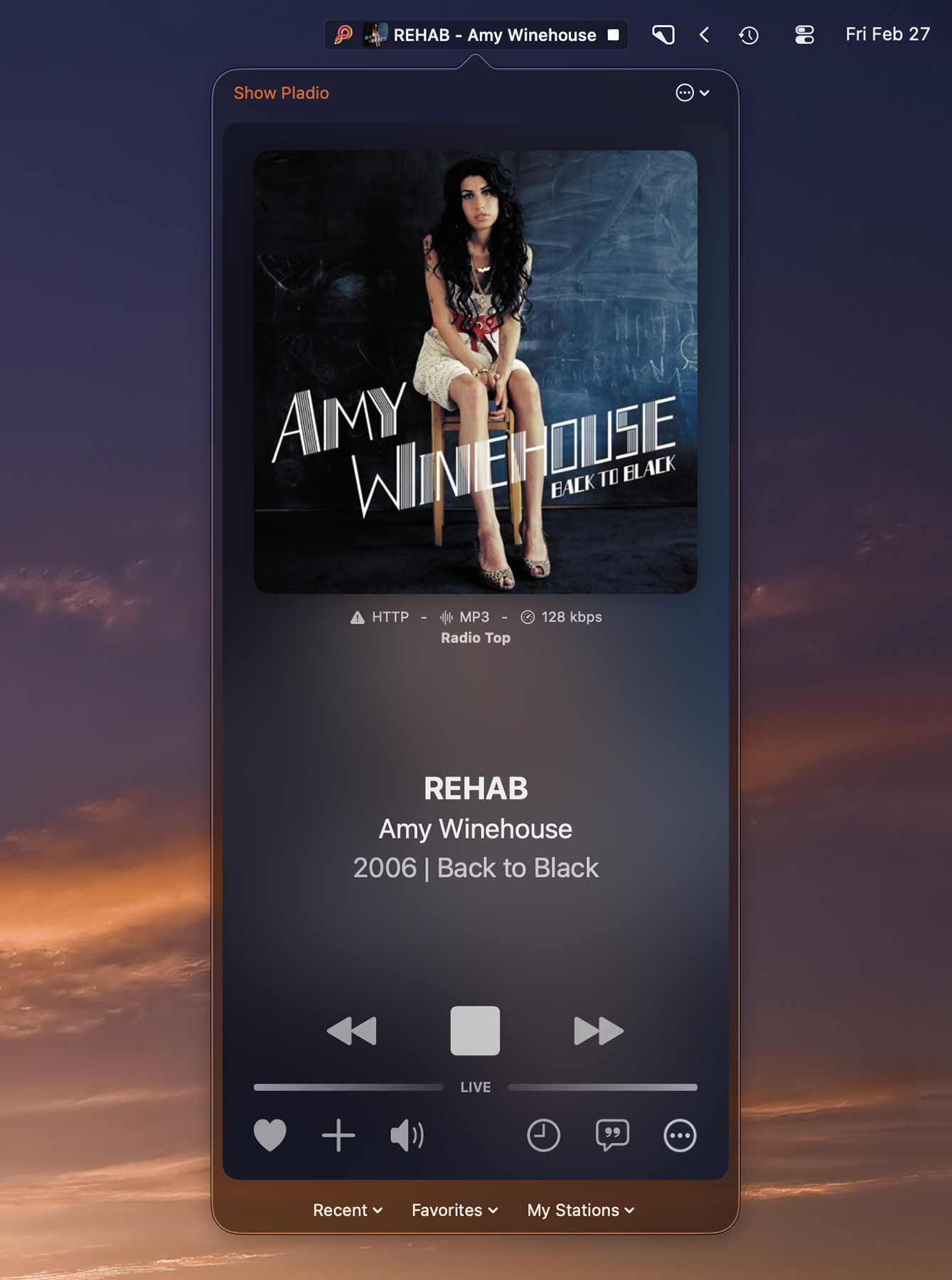
The MiniPlayer shows your current station with its favicon and song information right in the menu bar. Click to open a dropdown with full playback controls and quick station selection from your Recent, Favorites, and My Stations lists. Choose between Full and Reduced display modes depending on how much menu bar space you want to dedicate.
You can also set Pladio to start minimized to the menu bar on login — perfect for having your radio ready without cluttering your desktop. The main window is always just a click away when you need the full browsing experience.
Native AirPlay on macOS
Streaming Pladio to your AirPlay speakers, HomePod, or Apple TV from your Mac is now built right into the app. A dedicated AirPlay button sits in the player controls, and Pladio detects when you're connected to an AirPlay device, showing a "Playing on AirPlay" indicator so you always know where your audio is going.
Much More Radio Stations (from roughly 30’000 to over 43’000)!
The radio station database was re-synced with radio-browser.info and a quality check was performed to ensure that all radio stations have valid streaming URLs. Furthermore, the number of curated radio stations was increased to ensure correct metadata, such as radio station icons.
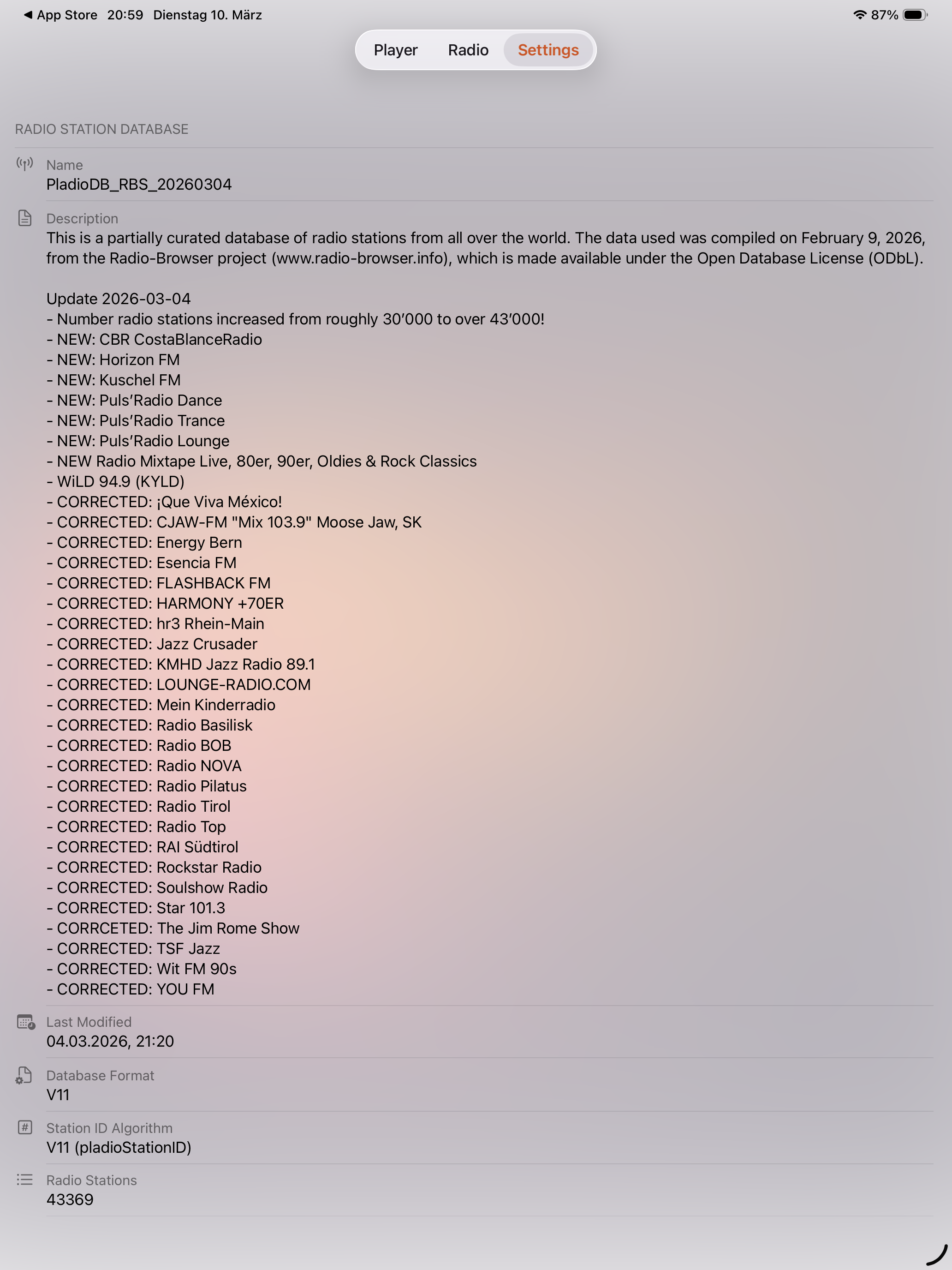
Special thanks go to Alex Segler and the community of radio-browser.info — without them, Pladio would not be possible to be a free app!
Under the Hood
Beyond the headline features, this release includes a fresh favicon cache on every app update ensuring you always see the latest station artwork, improved tracking for dismissed rescue stations to prevent duplicates across restarts and devices, and various internal refactorings for better code quality and maintainability.
Get the Update
Pladio 1.3 is available now on the App Store for iOS and macOS. Update today and enjoy rock-solid favorites and the new MiniPlayer experience.
As always, I'd love to hear your feedback! You can reach me through the in-app feedback option or visit pladio.app.
Patrick
Indie Developer, KREANIQS